Print coffee bag labels from Excel
Do this in the free label maker: app.mylabelmaker.com. No signup. Design the label, then print to a Zebra or download PNG, PDF, or ZPL.
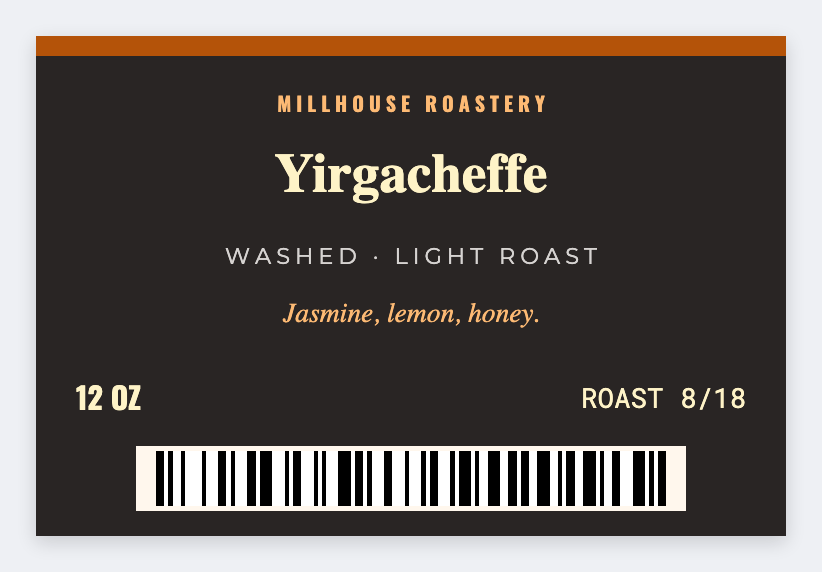
You can print coffee bag labels from Excel in the free label maker. After you roast, put origin, roast date, and weight in a sheet, map {{origin}} and {{roast}}, then print the bags. No signup. Origin stories stay yours.
Good to know: Origin stories and grade claims are yours. We print the row. We don't issue a coffee grade.
How to make coffee bag labels from a roast list
- Open https://app.mylabelmaker.com. No signup.
- Load a sheet with origin, roast date, weight, and optional notes. Set 3x2 or 4x3 for a bag face.
- Map {{origin}} large, with {{roast}} and {{weight}} under it.
- Preview two lots. Print that roast day's bags.
Retail bags vs sample tins
Same list, two sizes. Tins need a smaller lid sticker. Save both JSON files.
Print or save
If you have a Zebra, print from this computer with Browser Print at the printer's DPI. If you don't, download PNG, JPEG, SVG, PDF, or ZPL. JSON keeps the layout so you can open it later.