How to make moving box labels from a list
Open the free label maker: app.mylabelmaker.com. No signup. Design the label, then print to a Zebra or download PNG, PDF, or ZPL.
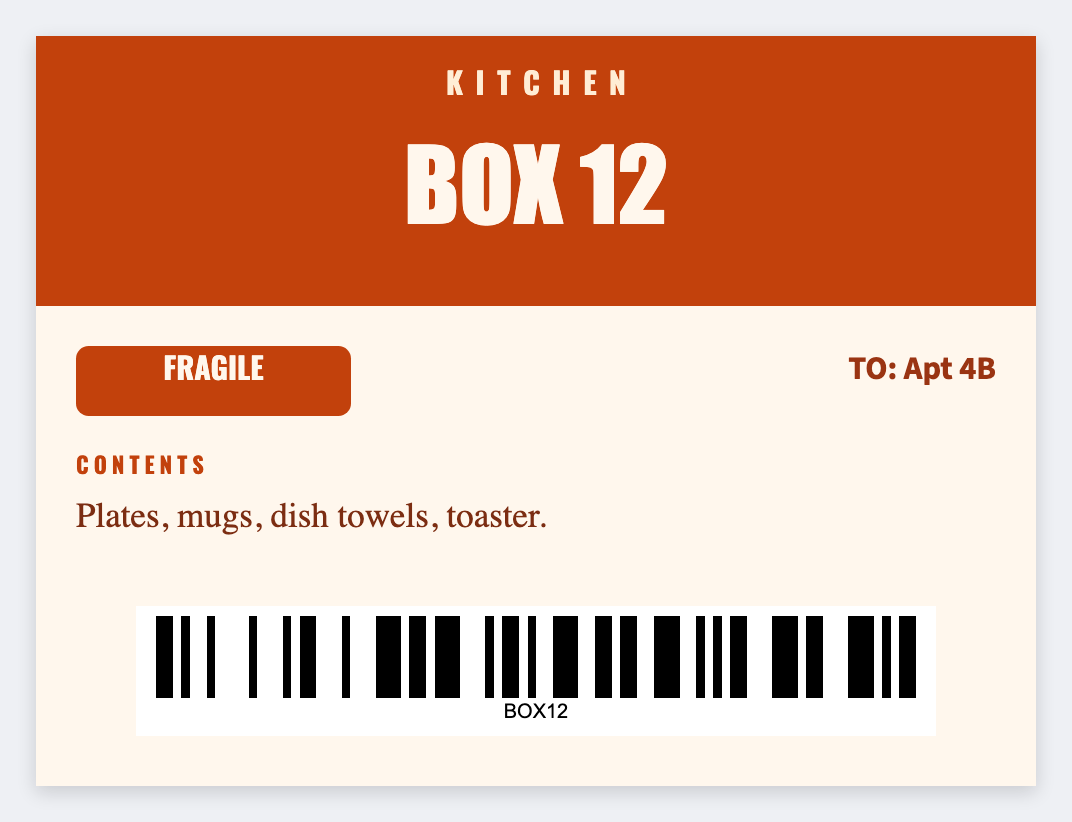
You can make moving box labels from a list in the free label maker. Put room and a short contents line in a sheet, set 4x3 or 4x6, map {{room}} large, and print the stack before you tape.
Good to know: Don't put jewelry inventories or lockbox codes on a box that sits on a curb.
How to make moving box labels from a list
- Open the moving box template. No signup.
- Put room, contents, and an optional box number on each Excel row.
- Set 4x3 so it reads from the hallway. Map {{room}} huge, then {{contents}} and {{box}}.
- Preview two rooms. Print extras of Kitchen and Fragile.
Color is optional
If you only have black thermal, large type beats a color system you can't print. Save JSON and reprint a room when you pack late.
Print or save
Got a Zebra? Print with Browser Print at the printer's DPI. No Zebra? Print from this computer, or download PNG, JPG, SVG, PDF, or ZPL. Save JSON if you want to open the layout again later.