Print cable labels from Excel
Do this in the free app: Open https://app.mylabelmaker.com. No signup. Design the label, then print on a Zebra or download PNG, PDF, or ZPL.
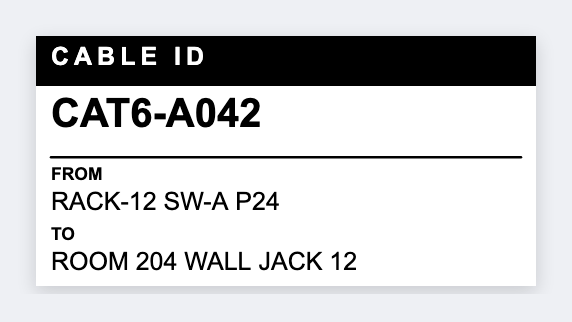
You can print cable labels from a spreadsheet without redrawing each flag. Put from and to in columns, open the free label maker, set a tall thin flag size, map {{from}} and {{to}}, then print the loom.
Good to know: We design the face. Self-laminating wrap stock is yours to buy. We do not encode RFID.
How to print cable labels from a spreadsheet
- Open https://app.mylabelmaker.com. No signup.
- Sheet columns: from, to, optional circuit id. A tall thin flag size works.
- Map {{from}} and {{to}}. Keep the type large enough to read on a cable.
- Preview two rows. Print the loom.
Same list for a patch panel
The same list can print a panel strip if you set a wider size. Two JSON files, one CSV.
Print or save
If you have a Zebra, print from this computer with Browser Print. Match the printer's DPI. Everyone else: download PNG, JPEG, SVG, PDF, or ZPL. Keep the JSON if you want to edit this later.