Print Allergen Labels from Excel
Open the free label maker: https://app.mylabelmaker.com. No signup. Design the label, then print to a Zebra or download PNG, PDF, or ZPL.
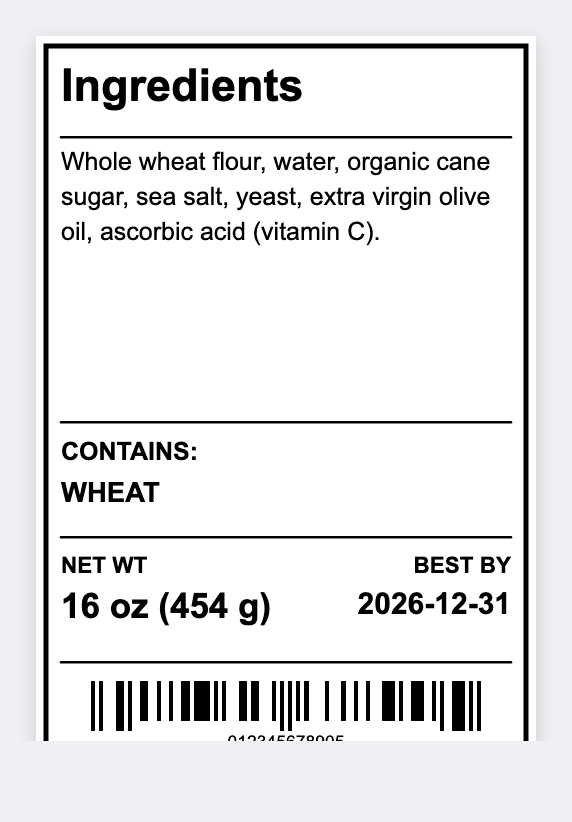
You can print allergen labels from a spreadsheet. Open the free label maker, map {{product}} and {{allergen}}, and print a contains line for every cookie. No signup. Your kitchen and your local rules decide the wording.
Good to know: We do not decide what is an allergen. Your kitchen and your local rules do. Print only wording you stand behind.
How to print allergen labels from Excel
- Open https://app.mylabelmaker.com. No signup.
- On the sheet: product, allergen line (for example Contains: wheat, egg). Set 2x1 or 2x2 for a seal.
- Map {{product}} and {{allergen}}. Keep the type large.
- Preview two SKUs. Print on the pack or as a second sticker.
Two-sticker setup
Pretty brand face on top. Allergen seal under it. Same sheet, two layouts, two print runs. Easier than cramming legal type into a tiny logo sticker.
Print or save
Got a Zebra? Print with Browser Print at the printer's DPI. Everyone else: print from this computer, or download PNG, JPG, SVG, PDF, or ZPL. Save JSON if you want the editable master back later.