Free TikTok QR stickers
Do this in the free app: app.mylabelmaker.com. No signup. Design the label, then print on a Zebra or download PNG / PDF / ZPL.
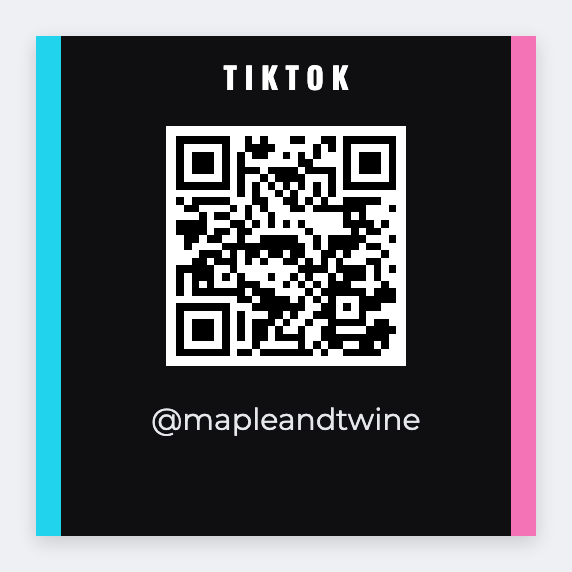
You can make free TikTok QR stickers in the free label maker. Copy the profile or video URL, paste it into a QR code, add the handle, and print from this computer. We don't log into TikTok or shorten links. If the URL changes, reprint.
Good to know: We do not log into TikTok or shorten links. If TikTok later changes a URL, reprint with the new one.
How to make free TikTok QR stickers
- Open https://app.mylabelmaker.com/?template=tiktok-qr. No signup.
- Set a 2x2 sticker, or whatever size you actually stick on the pack.
- Paste the TikTok profile or video URL into the QR. Type the handle under it.
- Print from this computer, send to a Zebra, or download PNG / PDF. Optional: load Excel if URLs differ.
What to put on the label
- Profile URL for “follow us” stickers
- Video URL for a single campaign
- We encode only the URL you paste
- High-contrast black modules on white
Shipping inserts
A 2x2 insert with a TikTok QR sits nicely next to a 4x6 pack job. Design both in the same session. Print the insert on leftover 2x2 stock.
Print a whole list from Excel
Need a different URL per SKU? Put each one in its own row. Map the column onto the QR, preview one, then print the stack. Guide: mail merge labels.
Print or save
Got a Zebra? Print with Browser Print at the printer's DPI. Everyone else: print from this computer, or download PNG, JPG, SVG, PDF, or ZPL. JSON keeps the editable master.