Print Conference Name Badges from Excel
Do this in the free app: app.mylabelmaker.com. No signup. Design the label, then print on a Zebra or download PNG / PDF / ZPL.
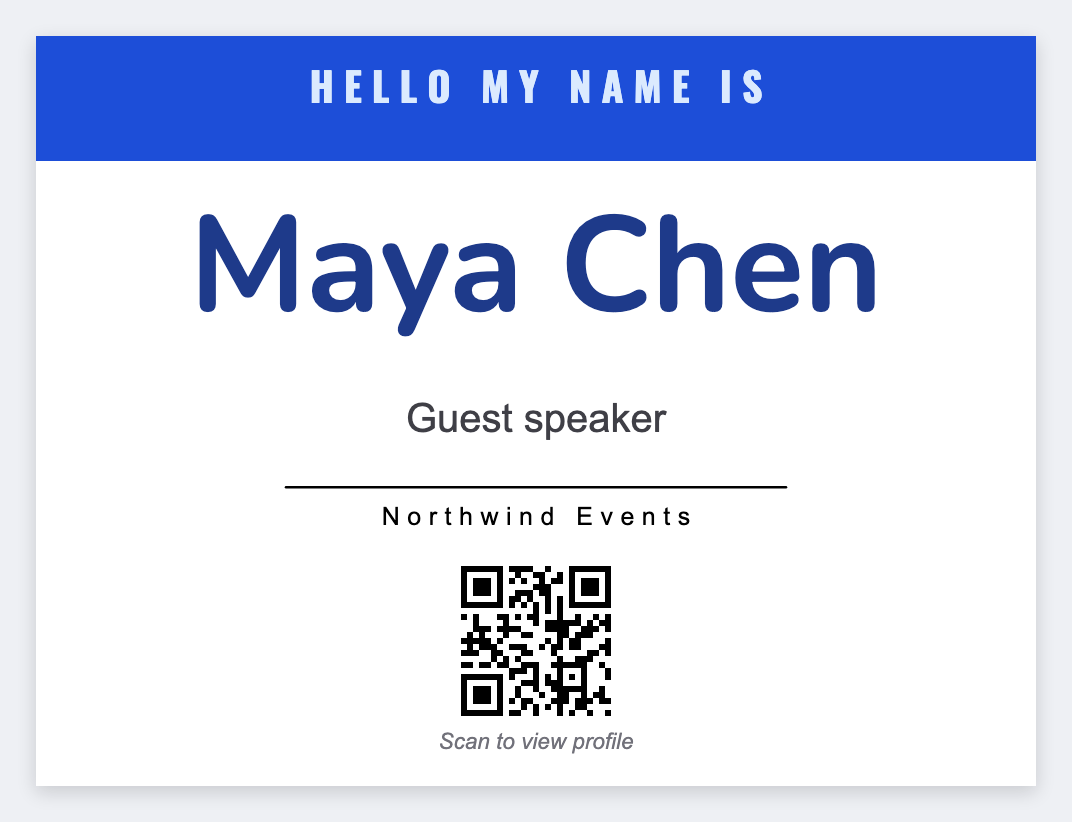
Yes. You can print conference name badges from Excel. Design one 4x3 badge in the free label maker, map {{first}}, {{company}}, and {{role}}, preview a few rows, then print the stack. No Photoshop script.
Good to know: Bring a few blanks for walk-ups. Print extras with empty tokens, or keep the laptop at registration and print one row at a time.
How to print conference name badges from Excel
- Open https://app.mylabelmaker.com. No signup.
- Export the registration list: first, last, company, role. One row per person.
- Set the badge size (often 4x3). Place {{first}} large. Add company and role. Optional logo.
- Load the CSV. Preview row 1 and row 200. Print, or export PDF for a laser.
On-site walk-ups
Walk-ups happen. Keep the same layout open, type one name into the tokens, and print quantity 1. Faster than a second Canva file at the door.
Print or save
If you're printing to a Zebra, use Browser Print and match the printer's DPI. Otherwise download PNG, JPEG, SVG, PDF, or ZPL. JSON is the file you can open again later.
Print the attendee list
One badge face. Every row. Keep a few blanks for walk-ups.
Open name badge template