How to make boutique price tags from your inventory
Do this in the free label maker: app.mylabelmaker.com. No signup. Design the label, then print to a Zebra or download PNG, PDF, or ZPL.
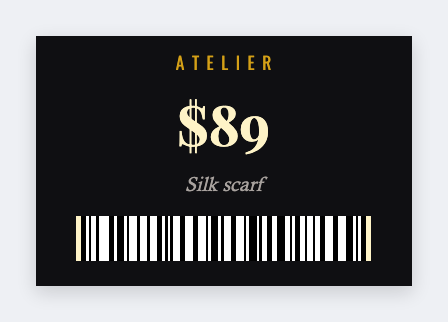
You can make boutique price tags from the inventory list in the free label maker. Set a hang-tag size, map {{name}} {{size}} {{price}}, then print. No signup. Same face for every arrival this season. This is a hang tag or seal, not a sewn care label.
Good to know: This is a hang tag or seal, not a sewn care label. Care copy that must survive a wash belongs on a care printer, not on paper thermal.
How to make boutique price tags
- Open https://app.mylabelmaker.com. No signup.
- Export name, size, price, and an optional SKU. Set 2x3 or a jewelry-tag size.
- Map {{name}}, {{size}}, {{price}}. Optional barcode on {{sku}}.
- Preview two styles. Print hang tags or 2x1 seals.
Apparel shops often print two
A hang tag with the story and price. A small size sticker (S, M, L) from the same sheet. Two JSON files, one inventory CSV.
Print or save
If you have a Zebra, print from this computer with Browser Print at the printer's DPI. If you don't, download PNG, JPEG, SVG, PDF, or ZPL. JSON keeps the layout so you can open it later.