Warehouse bin location labels on a Zebra
Yes. You can print warehouse bin location labels on a Zebra for free. Open the free label maker, make the location huge, barcode the same string, and print from Excel. No BarTender seat per station. No signup.
What a good bin location label includes
- Human-readable location (e.g.
A-12-03large and high contrast - Barcode) usually CODE128 of the same location string
- Optional, zone color bar, QR for mobile WMS, “fragile / hazmat” icons as simple shapes
Keep quiet zones (blank margins) around barcodes. Avoid gray fills, thermal wants solid black. See CODE128 on Zebra.
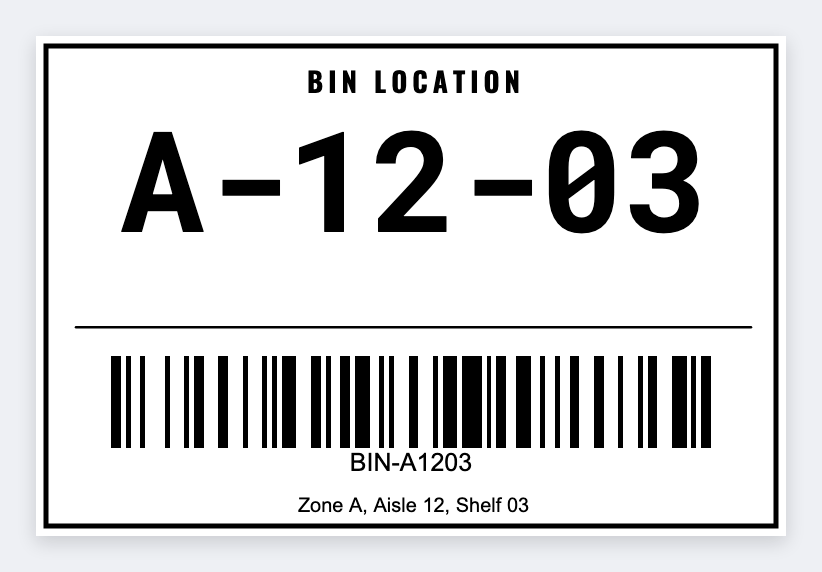
How to print bin location labels on a Zebra
- Export locations from your WMS/Excel as CSV columns:
location,zone, maybesku. - Open mylabelmaker, pick 2×1, 3×1, or 4×2 depending on shelf face.
- Large text with
{{location}}; barcode field with the same token. - Import CSV, preview rows, batch print via Browser Print.
Related batch guides: batch print, Excel, inventory barcodes.
Where to stick them
- Eye level for pick faces; consistent left edge of each bay
- Replace faded direct-thermal bins in sunny docks (or use transfer media for multi-year tags
- Share one JSON template across stations) team templates free
Print the rack map
Location large. Barcode the same slot. Print on the Zebra.
Open bin location tag template